.svg)
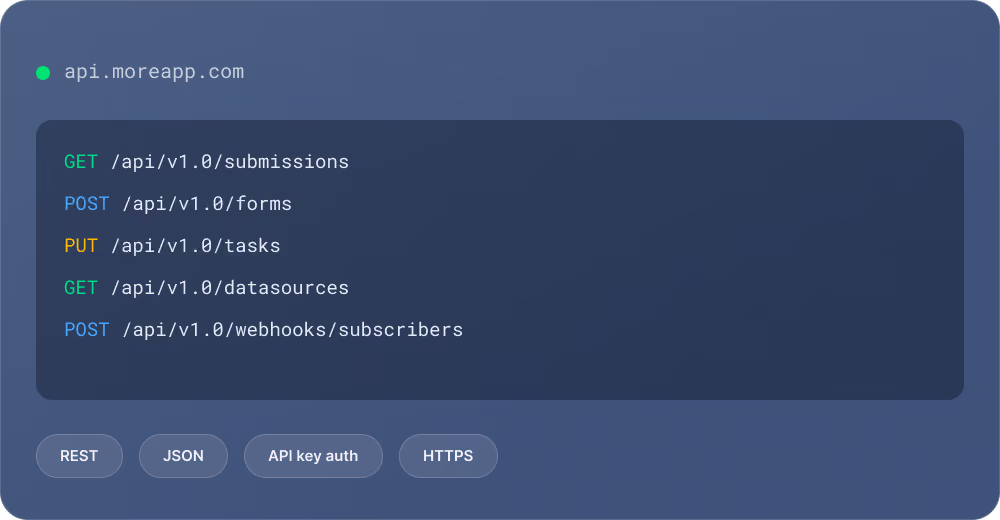

The documented API endpoints are stable by design. Once you build your integration, it keeps working. No surprise breaking changes, no constant updates needed.

API access is included at no extra cost in every MoreApp plan. No premium tier required, no per-call billing. Build freely without worrying about hidden fees.

Authenticate with a single API key in the X-Api-Key header. Standard REST with JSON responses. No OAuth complexity, no token refresh flows.

Every endpoint is described in our interactive Developer Docs powered by Stoplight. Try calls directly, inspect request and response schemas, and integrate with confidence.

Documented endpoints follow a clear stability promise. Your integration doesn't need ongoing maintenance, set it up once and let it run. Only undocumented endpoints may change.

All communication runs over HTTPS. API keys are scoped to your account and you can create up to 20 keys for different integrations. ISO 27001 and ISO 27701 certified.


Go to Settings → Connections → API keys in the MoreApp Platform. Click "Add API key", give it a name, and copy the generated key.
Include your API key in the X-Api-Key header of every HTTP request. That's all the authentication you need.
Use any HTTP client or programming language to call the API. All responses are JSON. Check the Developer Docs for every available endpoint.
The MoreApp API is organised around these resource groups. For full request and response details, visit the interactive API reference.
Use the API directly, or combine it with automation platforms for even more flexibility.
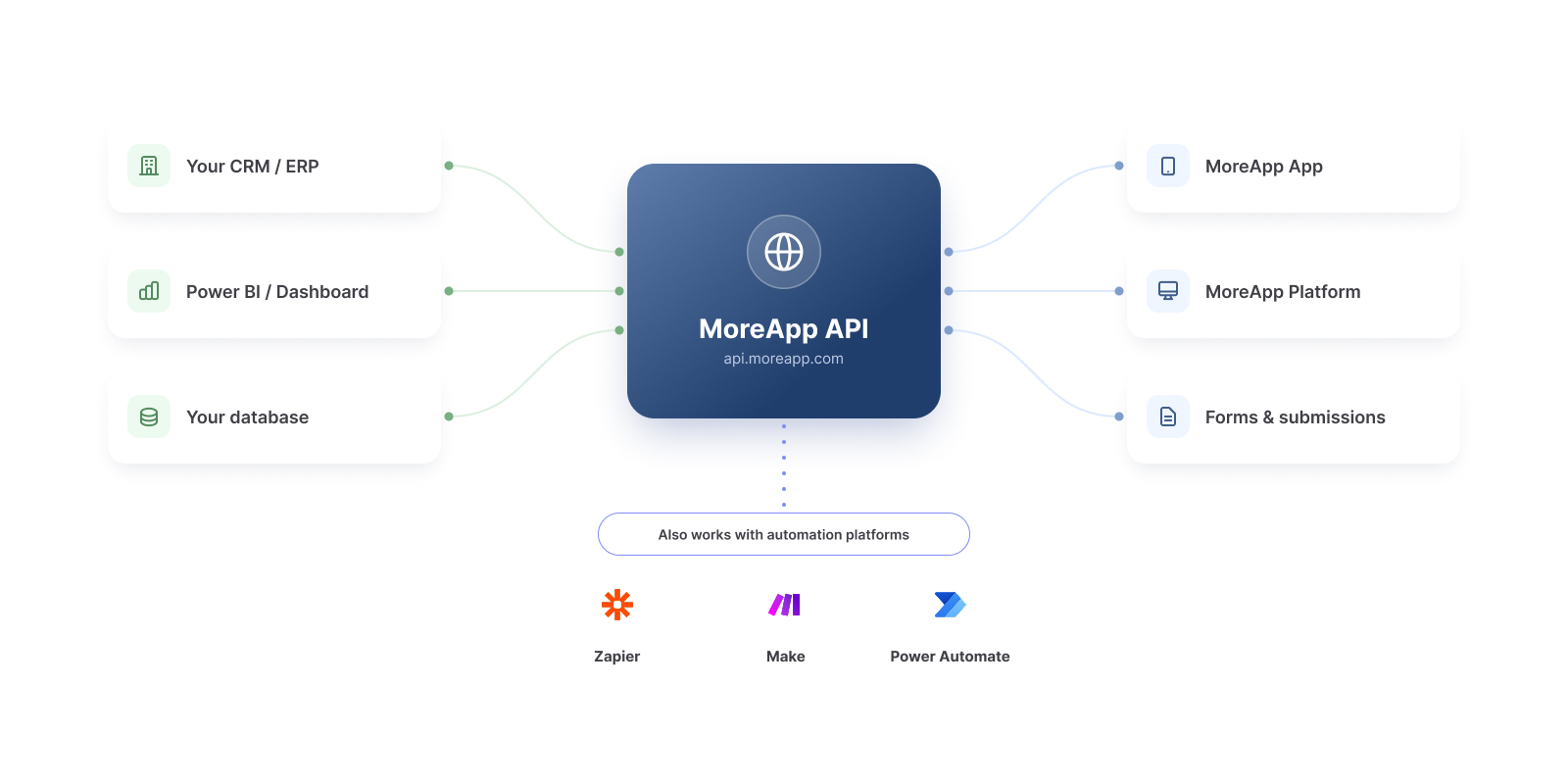

All endpoints documented in our Developer Docs are stable. They won't change without notice and are designed for long-term use. Undocumented endpoints may change at any time, so always build against the official documentation.
This means you can integrate MoreApp into critical business processes with confidence. Once your connection is set up, it keeps running without ongoing developer attention.

The full interactive API reference is available at docs.moreapp.com. You can browse every endpoint, inspect request/response schemas, and try out calls directly from the browser.

For direct API calls, basic programming or scripting knowledge is helpful. But you can also use no-code platforms like Zapier, Make, or Power Automate to connect MoreApp to other tools without writing any code.
Yes. Use the Webhooks endpoints to subscribe to events like form submissions, task updates, or invite status changes. MoreApp sends a POST request to your URL whenever the event fires, so there's no need to poll the API.
You can create up to 20 API keys per account. This lets you use separate keys for different integrations or environments (e.g. one for your CRM, one for your BI dashboard, one for testing).
All endpoints listed in the official documentation are stable. MoreApp does not make breaking changes to documented endpoints. Only undocumented endpoints may change without notice, so always build against the Developer Docs.
Add your API key to the X-Api-Key header of every HTTP request. You can create API keys under Settings → Connections → API keys in the MoreApp Platform. No OAuth flows or token refreshes needed.
Yes. API access is included in every MoreApp plan at no extra cost. There are no per-call fees or premium tiers required to use it.